Install free dictionaries on your computer
 To translate a word in one foreign language, it is often practical to use them dictionaries on line. And that can be sufficient for an occasional use.
On the other hand, for a use a little more intensive, it can be wise to install dictionaries locally on its machine. It is what the freeware proposes StarDict, a reference on the matter. Conceived by Hu Zheng, this program will even enable you to initiate yourselves with the Asian languages if the heart you of known as.
Here a small outline of the software…
Installation
First of all, will know that StarDict was originally conceived under Linux, but a version for Windows is also available.
It is enough for you to download it on page of remote loading. And you will be able to install it in double clicking on the file of installation.
Here then what the interface resembles:
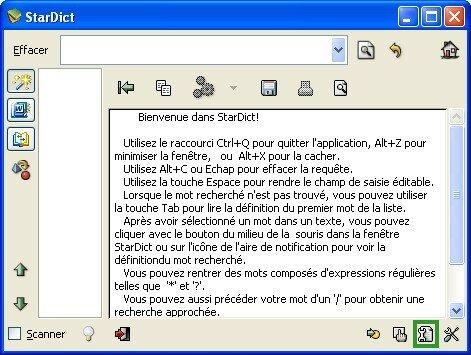
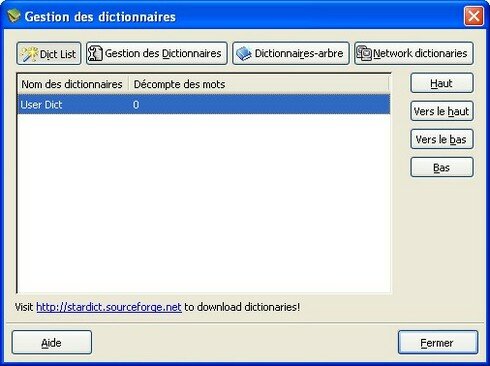
This stage, StarDict contains only one dictionary user. While clicking on the button surrounded in green on the capture, you will be able to see the list:
Loading of dictionaries
The dictionaries can be downloaded while returning to you on the page dictionaries.
Click on the various projects to reveal the dictionaries available, for example, here the dictionaries of the category Fr (French):
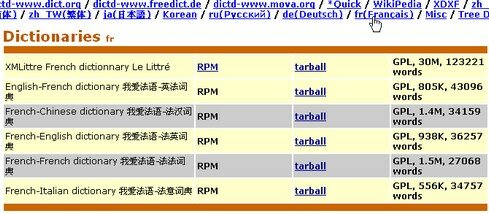
The files are with the format compressed .tar .bz2 (tarball). You will be able to use a software like 7zip to decompress them.
You will obtain initially a file tar, which must then be again decompressed to obtain a repertory which will contain this kind of files:
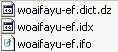
Copy this repertory in C:\Program Files\StarDict\dic then so that StarDic has access to the dictionary:
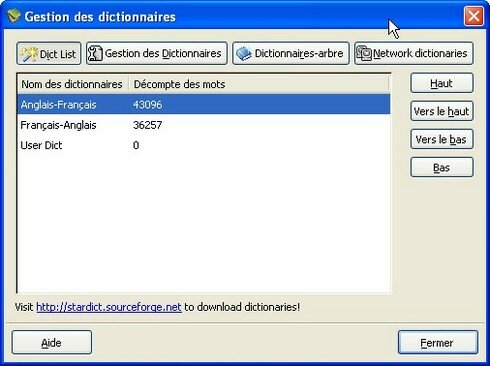
On the capture, one can see that I charged 2 dictionaries. To change the name of a dictionary, it is enough to publish the file .ifo and to change the line which starts with “bookname” (for example: “bookname = English-French”)
Permière seeks
Once you charged your dictionaries, go to the principal screen for the first research, you must be in magic wand mode for that (button surrounded in green):
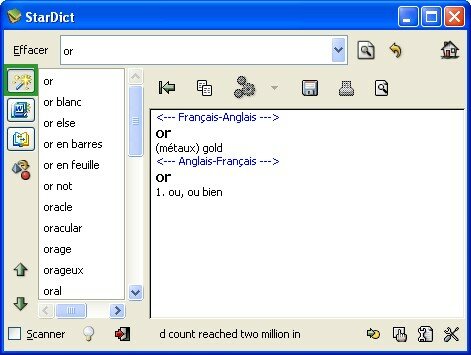
You can also include in your research a star or a question mark if you are not sure orthography of the word. Divers autres modes tels que la recherche en texte intégral ou approchée pourront aussi vous aider.
On constate sur la capture d’écran que la recherche s’effectue par défaut sur tous les dictionnaires en même temps. Si vous ne voulez pas cela, il faudra revenir dans la gestion des dictionnaires et sélectionner ceux que vous désirez. Vous pourrez même créer des groupes de dictionnaires suivant vos envies.
La recherche Full Text
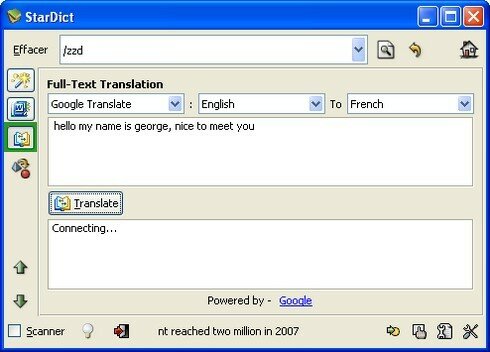
En cliquant sur l’icône en forme de livre, il vous sera possible d’effectuer des recherches en mode full text, c’est à dire que vous pourrez traduire des phrases entières à l’aides des principaux traducteurs en ligne (Google, Yahoo, etc) :
L’option Scanner
L’option “Scanner” est une des fonctionnalités les plus impressionnantes de StarDict. Elle permet de traduire un mot au survol de la souris dans n’importe quelle application ouverte.
Par exemple en ce moment tandis que je suis en train d’écrire l’article, je peux chercher la signification des mots que j’écris :
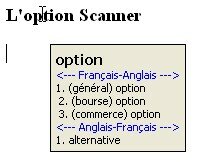
Evidemment ça n’a aucune utilité ici mais imaginez que vous lisez un document dans une langue que vous maîtrisez mal, et vous verrez que vous gagnerez un temps précieux avec cette fonction. C’est beaucoup plus efficace qu’un dictionnaire papier!
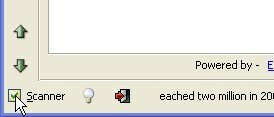
Cette fonction s’active en cochant la case à cocher “scanner” en bas à gauche de la fenêtre :
Net Dict
Net Dict est une fonctionnalité qui vous permet de rechercher vos mots sur l’internet grâce au site stardict.org, avec les dictionnaires associés à votre compte.
Pour pouvoir utiliser cette fonction, il faut vous enregistrer sur stardict.org puis l’indiquer dans les préférences du logiciel StarDict :
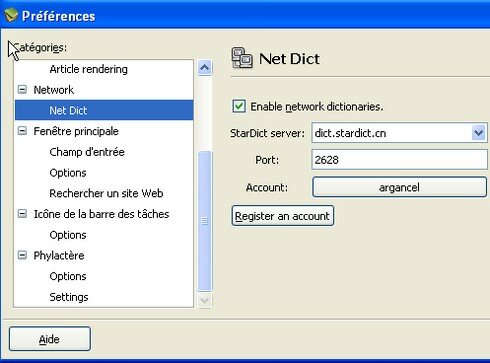
Je n’ai pas encore eu l’occasion d’utiliser cette fonctionnalité. Si vous l’avez testée, merci de nous en faire part dans les commentaires!
Conclusion
StarDict est une bonne alternative aux dictionnaires en ligne, et vous permet de trouver rapidement la traduction d’un mot.
En outre, le site StarDict regorge de dictionnaires libres, dont certains dans des langues rares. Ce sera donc un bon atout pour apprendre de nouvelles langues.
Tags: dictionnaire, freeware, gratuit, langue étrangère, vocabulaire
Articles similaires (en théorie) :
Il y a un an sur C’éclair! - octobre 2007
1000 livres audio gratuits en libre téléchargement
Il y a un an sur C’éclair! - décembre 2007
Ressources gratuites pour s’améliorer en français
Traffic web : 5 astuces efficaces pour toucher le jackpot








ahmad said,
Wrote on janvier 7, 2009 @ 17:49
i thank you for this dictionary
mateus silverio said,
Wrote on avril 23, 2009 @ 10:14
magnifique