Mémo pratique : les raccourcis clavier de Windows Memo practice: keyboard shortcuts in Windows
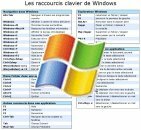 Il ya un peu moins d’un mois, je concevait un premier mémento en format PDF pour les raccourcis clavier de A little less than a month, I designed an initial memo in PDF format for keyboard shortcuts FreeMind FreeMind (c’est par (By ici Here ). Eh bien en voici un deuxième, pas très original mais qui a le mérite de profiter à beaucoup de monde : celui des raccourcis du système Windows . Well here is a second, not very original, but has the advantage of the benefit of a lot of people: those shortcuts Windows system.
Et je suis certain que peu d’entre vous connaissent l’ensemble des raccourcis de ce pense-bête . And I am certain that few of you know all the shortcuts this reminder.
Voici mes préférés : Here are my favorites:
Raccourcis généraux : Short general:
Windows+E : lancer l’explorateur windows Windows + E: launch Explorer windows
Windows+D : afficher le bureau Windows + D: show the desktop
Windows+L : verrouiller l’ordinateur Windows + L: lock the computer
Windows(relâcher)+u+u : éteindre l’ordinateur (sous Windows XP ) Windows (release) + u + u: shut down the computer (Windows XP)
A l’intérieur d’une application : Within an application:
F5 : raffraîchir F5: raffraîchir
F2 : renommer F2: rename
ctrl+F : rechercher Ctrl + F: Find
alt+tab : naviguer entre les fenêtres de windows Alt + tab: navigate between windows windows
ctrl+tab : naviguer entre les fenêtres / onglets d’une application Ctrl + tab: navigate between windows / tabs on the application
Et bien entendu les indispensables : And of course the essential:
ctrl+c : copier Ctrl + c: copy
ctrl+v : coller Ctrl + v: paste
ctrl+x : couper Ctrl + x cut
ctrl+s : sauver Ctrl + s: saving
ctrl+z : annuler la dernière opération Ctrl + z: cancel the last operation
ctrl+y : refaire la dernière opération Ctrl + y redoing the last operation
Téléchargement : Download: Mémo des raccourcis clavier Windows Memo Windows keyboard shortcuts [format PDF, 21ko] [PDF format, 21ko]
(si vous pensez à d’autres raccourcis, faites-moi signe et je les rajouterai) (If you think about other shortcuts, make me sign and I rajouterai)
, cheatsheet Cheatsheet
Tags: aide-mémoire Aide Memoire , cheatsheet Cheatsheet , clavier Keyboard , memento Memento , Mémos Memos , raccourci Shortcut , windows Windows
 Si vous avez aimé cet article, donnez-lui plus de visibilité en votant pour lui sur Scoopeo : If you liked this article, give it more visibility by voting for him on Scoopeo:
Articles similaires (en théorie) : Similar stories (in theory):
Pratique ce mémo! Playing this memo! - Les raccourcis clavier de FreeMind -- Keyboard shortcuts FreeMind
Contrôlez le volume sonore de Windows au clavier Control the volume of Windows at the keyboard
C’éclair! C'éclair! fête son mois d’existence Celebrating its months of existence
Un mémo pratique pour tout connaître à propos de Google A memo practical know everything about Google
Pratique ce mémo! Playing this memo! - Les noeuds de cravate -- The tie knots




julienrayes said, Julienrayes said,
Wrote on Wrote on juin 13, 2007 @ 11:47 June 13, 2007 @ 11:47
J’apprécie bcp le CTRL MAJ ECHAP pour afficher le gestionnaire de tâche et quitter une app récalcitrante. I appreciate the bcp CTRL SHIFT ESC to see the task manager and leave a recalcitrant app.
khrys Khrys said, Said,
Wrote on Wrote on juin 13, 2007 @ 11:52 June 13, 2007 @ 11:52
Wouhou ! Wouhou! A part 1 ou 2 je les connaissais tous ! A part 1 or 2 I knew them all!
Pour les utilisateurs de Mac, lancez Mac OS Help et cherchez “shortcuts” ou “raccourcis”. For Mac users run Mac OS Help and search "shortcuts" or "shortcuts". Vous y trouverez tout une liste. You will find everything a list.
Argancel said, Said,
Wrote on Wrote on juin 13, 2007 @ 12:01 June 13, 2007 @ 12:01
@Khrys @ Khrys
Moi j’en ai appris quelques-uns en concevant le PDF. Moi I learned some designing the PDF.
Je me suis toujours demandé pourquoi Windows ne fourni pas un moyen simple de les connaître. I have always wondered why Windows does not provide an easy way to know.
lebazaar Lebazaar said, Said,
Wrote on Wrote on juin 14, 2007 @ 15:41 June 14, 2007 @ 15:41
j’en connaissais pas mail mais pas tous ! I knew not mail but not all! Donc cela reste une bonne initiative. So this is a good initiative. Merci Thank you
MitMal said, Said,
Wrote on Wrote on août 27, 2007 @ 10:58 August 27, 2007 @ 10:58
Moi je l’ai connais tous !! I know I have all!
Et je cherche une reponse à la question : And I seek an answer to the question:
Le raccourcis pour le son existe-il nativement dans windows Vista ??? The shortcuts for its existence it natively in windows Vista?
…
(il ya dautre raccourcis ici : (There is the other shortcuts here: http://bereal.free.fr/index.php/2007/04/23/des-raccourcis-clavier-pour-vista/ Http://bereal.free.fr/index.php/2007/04/23/des-raccourcis-clavier-pour-vista/
)
++ + +
Argancel said, Said,
Wrote on Wrote on août 27, 2007 @ 11:19 August 27, 2007 @ 11:19
Pour le son il suffit d’utiliser For his just use
Tooler . Par exemple moi je me suis créé un raccourci pour baisser le son à 0 et deux raccourcis pour le mettre à 50% ou 100%. For example me I created a shortcut to lower the sound at 0 and two shortcuts to save 50% or 100%. Je ne sais pas s’il fonctionne avec Vista par contre. I do not know if it works in contrast with Vista.
Merci pour le lien! Thanks for the link!
Dave said, Dave said,
Wrote on Wrote on janvier 10, 2008 @ 11:22 January 10, 2008 @ 11:22
le “Windows + M” = réduire toutes les fenêtres, à première vue pas de différence avec “Windows + D”. "Windows + M '= minimize all windows, prima facie no difference with" Windows + D ". Sauf si comme moi vous avez fixé sur le bord de l’écran une barre de lancement rapide. Unless you like me fixed on the edge of the screen a quick launch bar.
Dans ce cas; In this case;
- Windows + D la masque -- Windows + D the mask
- Windows + M affiche le bureau sans masquer cette barre. -- Windows + M displays the office without hiding this bar.
(”De quelle barre il parle?” ; créez sur le bureau un nouveau dossier où vous placez des fichiers, des dossiers, des raccourcis auquel vous voulez avoir accès rapidement. ensuite saisissez le dossier et faites le glisser jusque contre un bord de l’écran. Je suppose que la plupart connaisse ce truc. Ensuite clic droit sur la barre pour en avoir les options) ( "What kind of bar he speaks?" On the desktop create a new folder where you put files, folders, shortcuts which you want to access quickly. Then type in the folder and slide up against a side of the screen. I suppose that most know that thing. then right click on the bar to have options)